Do You Need a GoHighLevel Workflow Audit? Warning Signs, Scope and Next Steps
You need a GoHighLevel workflow audit when the account is producing inconsistent results and nobody can explain the complete path. If one clearly identified setting is wrong, you may only need a direct repair.
This is where the setup normally goes wrong: another trigger is added before anyone checks the contact history, workflow execution and stop conditions.
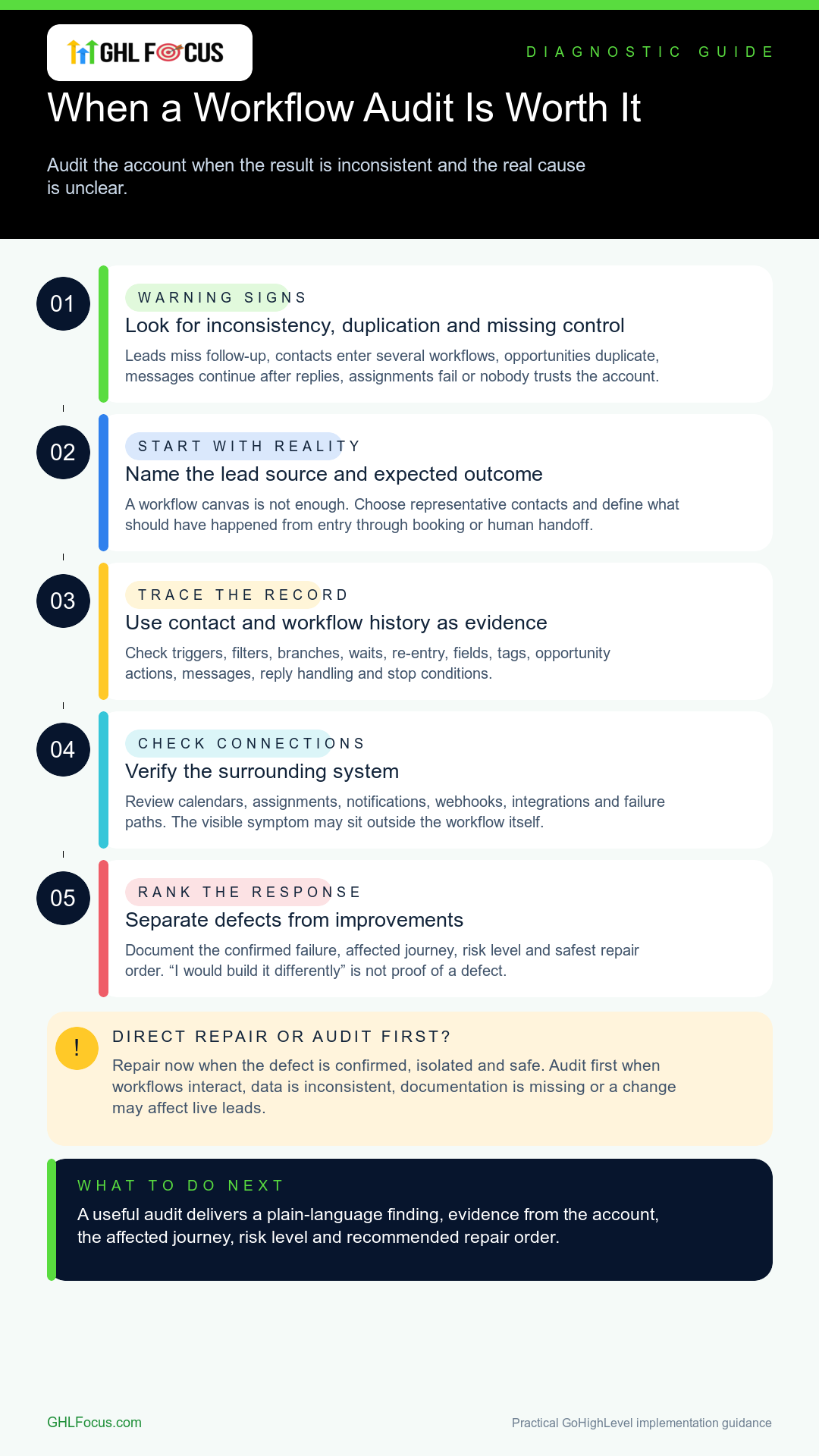
Warning signs that justify an audit
- Some leads receive follow-up and others do not.
- Contacts enter several workflows for the same job.
- Opportunities are duplicated or moved to the wrong stage.
- Messages continue after a reply or booking.
- Assignments, notifications or calendars fail unpredictably.
- The original builder is gone and no documentation exists.
- Your team is afraid to change anything because one fix may break another path.
If the issue is simply one disabled workflow or expired connection, start with the GoHighLevel workflow-not-firing checklist. Audit when the cause, impact or safe repair path is uncertain.
What should a GoHighLevel workflow audit check?
- The real lead sources and expected outcomes.
- Triggers, filters, branches, waits and re-entry rules.
- Contact fields, tags, pipelines and opportunity actions.
- Messages, reply handling, stop conditions and consent.
- Calendar, user assignment and notification logic.
- Integrations, webhooks and failure paths.
- Workflow history for representative contacts.
An audit should follow real records. A screenshot of the workflow canvas is not enough.
What should you receive?
You should receive a plain-language finding, evidence from the account, the affected journey, risk level and a recommended order of repair.
The audit should also separate confirmed defects from improvements. “I would build it differently” is not the same as “this workflow is failing.”
Audit first or repair immediately?
Repair immediately when the defect is confirmed, isolated and safe to change. Audit first when several workflows interact, the data is inconsistent, the account is undocumented or the proposed fix could affect live leads.
At GHLFocus, the focused audit is currently $200. If implementation is required after diagnosis, it is scoped separately. This keeps the audit from quietly turning into an undefined repair project.
What happens next?
You may need a targeted repair, a phased cleanup, a rebuild or only better documentation. The recommendation should match the evidence.
Review the GHLFocus workflow audit and repair service. If the account needs ongoing care after the cleanup, compare GoHighLevel agency support.
Frequently asked questions
Will an audit change my live workflows?
A diagnostic audit should not make unapproved changes. Any repair scope should be explained and agreed before live logic is changed.
How many contacts should be tested?
There is no useful universal number. Test representative records for each important entry path, branch, failure condition and expected outcome.
Can an audit guarantee more leads or sales?
No. An audit can verify and improve system behaviour. It cannot guarantee demand, lead quality, offer strength or sales performance.
What the $200 GHLFocus audit includes
This is a fixed-scope diagnostic service for a live account where the cause is not yet clear. The current scope is one sub-account, up to 10 workflows and one complete lead-to-booking journey. Findings are delivered within five business days after the required access and test information are available.
| Included | What you receive |
|---|---|
| Journey map | The expected path from lead source through contact creation, workflow entry, messaging, booking and team handoff. |
| Evidence review | Representative contact histories, workflow execution records, trigger and filter checks, stop conditions, opportunity actions and relevant connection failures. |
| Risk-ranked findings | Confirmed defects separated from optional improvements, with the affected records and likely business impact explained. |
| Repair order | A recommended sequence so the highest-risk issue is handled first without changing unrelated live logic. |
| Handoff | Plain-language findings, open questions and the implementation scope if repairs are required. |
Not included in the $200 audit: an unlimited account review, unapproved changes to live workflows, a full rebuild, new copy, or implementation work. Repairs are quoted separately after the evidence is clear.
The proof standard we use
A finding should be reproducible. For example, if a booked contact continues receiving nurture messages, the evidence should show the booking event, workflow history, missing stop condition and a safe test for the proposed repair. A screenshot of a busy workflow canvas is not enough.
This same build-test-handoff discipline is visible in our public B2B HighLevel automation case study, where forms, contact creation, routing, email triggers and team handoff are the published test points. That case study describes a delivered operating system, not a promise of revenue or conversion lift.
Before you start the audit
- Choose the one lead journey that matters most.
- Share two or three representative contact records: one that worked and one that failed.
- State what should have happened at each step.
- Confirm who may approve any later live changes.
If the defect is already isolated, a direct repair may be more efficient. If the path is inconsistent or several workflows interact, the fixed-scope audit is the safer starting point.
Need this fixed for you?
Start with a $149 small fix for one clearly defined issue, subject to scope confirmation. If the cause is unclear or spans several workflows, choose the $200 workflow audit. The audit report is delivered within five business days after we receive the required access and journey details.