
GoHighLevel for Med Spas: AI Receptionist, No-Show Recovery and Review Automation
If I were building GoHighLevel for a med spa, I would start with one complete enquiry path. The system should answer the enquiry, book the correct calendar, confirm the appointment, route clinical questions to a person, react to attendance status and record what happened. A huge automation library can come later.
Now, one boundary matters from the beginning: an AI receptionist can handle approved administrative conversations, but I would never let it diagnose, recommend a treatment or collect medical information the team does not genuinely need.
For the complete med-spa system, adapt the AI receptionist intake and handoff pattern, configure multi-location and multi-timezone calendars, connect ethical review-request automation, and test the journey after each appointment is booked.
If I were building this for a med spa, I would start here
Start with this operating path:
New call or message
→ identify service interest
→ answer approved non-clinical questions
→ book the right consultation calendar
→ send confirmation and reminders
→ branch on Showed, Canceled, or No-show
→ recover missed appointments
→ request an honest review after a completed experience
Every arrow needs an owner, test, and fallback. If the AI cannot answer, the caller must reach a person or receive a clear follow-up promise. If a calendar has no suitable time, the contact should not disappear at the end of the conversation.
Define the data boundary before adding AI
For a med spa, even routine contact details can become sensitive when combined with a procedure, medical condition, or treatment history.
Decide which information HighLevel may store and which belongs in the approved clinical or electronic health record system.
A front-desk workflow may need:
- Name.
- Phone and email.
- Preferred location.
- Broad service interest.
- New or returning client status.
- Preferred appointment time.
- Consent and communication preferences.
It usually does not need a detailed diagnosis, medications, medical history, photographs, or clinical notes in a marketing CRM.
HighLevel is not HIPAA compliant by default. If the organization will use HighLevel with ePHI, review the GoHighLevel HIPAA requirements, agreements, account controls, and every connected provider before launch.
Set up the med spa AI receptionist
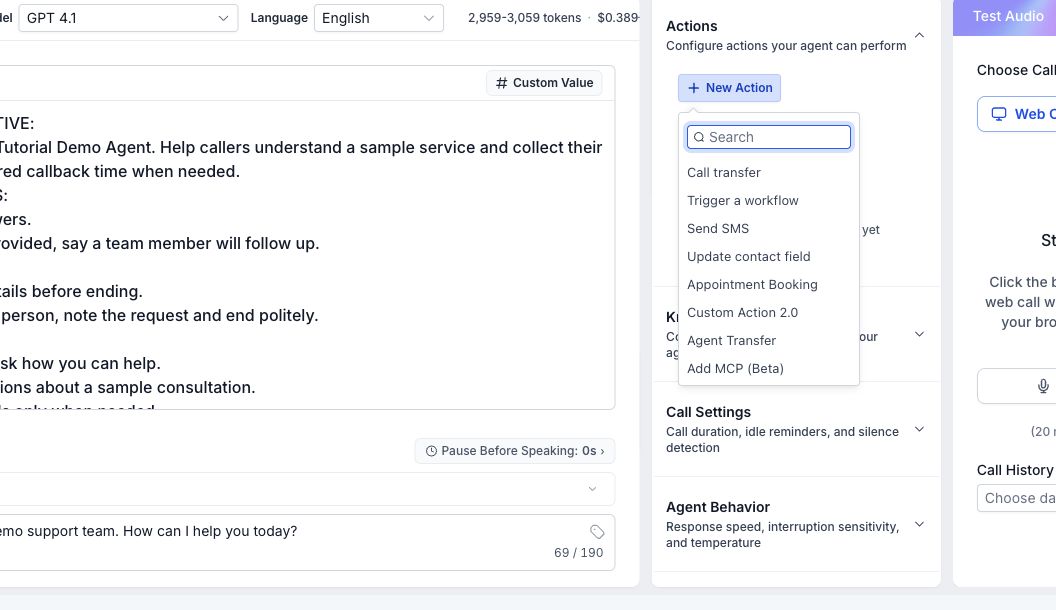
Go to AI Agents > Voice AI and create a dedicated agent for the location.
Give the agent one clear job
A useful initial job is:
Answer general questions from the approved knowledge base, collect minimal contact details, identify the requested service, book the correct consultation, and transfer clinical, urgent, billing-dispute, or complaint calls to a person.
Do not begin with a prompt that tells the agent to “handle everything.” Broad authority makes testing and escalation difficult.
Build a safe knowledge base
Include approved, current information such as:
- Location and parking.
- Business hours.
- Services offered.
- Consultation types.
- General starting-price language only when approved and accurate.
- Preparation instructions approved for public use.
- Cancellation and deposit policy.
- Financing or payment methods stated without promising approval.
- Human contact and escalation rules.
Do not upload private patient records, unsupported before-and-after claims, or medical advice. A treatment description should explain the service at a general level and invite a clinician consultation for suitability.
Add explicit boundaries
The agent instructions should state:
- Do not diagnose or decide whether a treatment is suitable.
- Do not promise results.
- Do not invent availability, prices, policies, or credentials.
- Do not collect detailed medical history.
- Use the practice-approved urgent or emergency language.
- Transfer requests for a clinician, adverse reaction, medical concern, complaint, refund, or exception.
- Confirm the appointment details before ending the call.
Have the practice approve the exact language. An AI agent should not improvise a medical escalation policy.
Route inbound calls correctly
Connect the intended HighLevel phone number to the Voice AI agent using the current inbound call-flow settings.
Check:
- AI working hours.
- After-hours behavior.
- Human transfer number and availability.
- Ring and timeout settings.
- Voicemail behavior.
- Recording and transcription policy.
- Missed-call fallback.
HighLevel’s inbound Voice AI call-flow guide warns that if local voicemail answers first, HighLevel can mark the call complete and the AI agent will not answer. Test the actual phone route, not only the agent preview.
Give each consultation a clear calendar
Separate calendars when the appointment types have different duration, staff, location, deposit, preparation, or qualification rules.
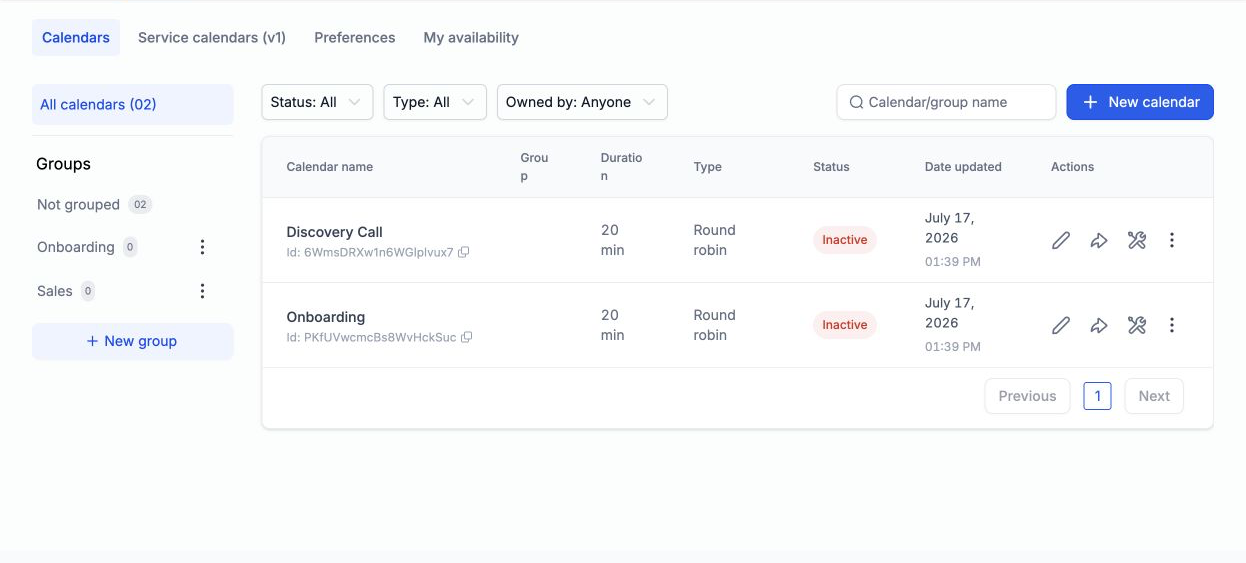
Example:
| Calendar | Use | Routing language |
|---|---|---|
| New client consultation | First visit and broad treatment planning | “I am new and want to discuss options” |
| Injectables consultation | Botox or filler interest | “I want to ask about injectables” |
| Laser consultation | Hair removal or skin laser | “I am interested in laser treatment” |
| Existing client follow-up | Post-treatment administrative follow-up | “I am already a client and need a follow-up” |
Do not route a report of an adverse reaction into an ordinary booking calendar. Transfer it according to the approved clinical escalation process.
HighLevel’s Voice AI appointment booking guide currently supports a single calendar or intent-based selection from multiple eligible calendars. Clear calendar descriptions and non-overlapping trigger language improve routing.
Configure the Voice AI booking action
Inside the Voice AI agent:
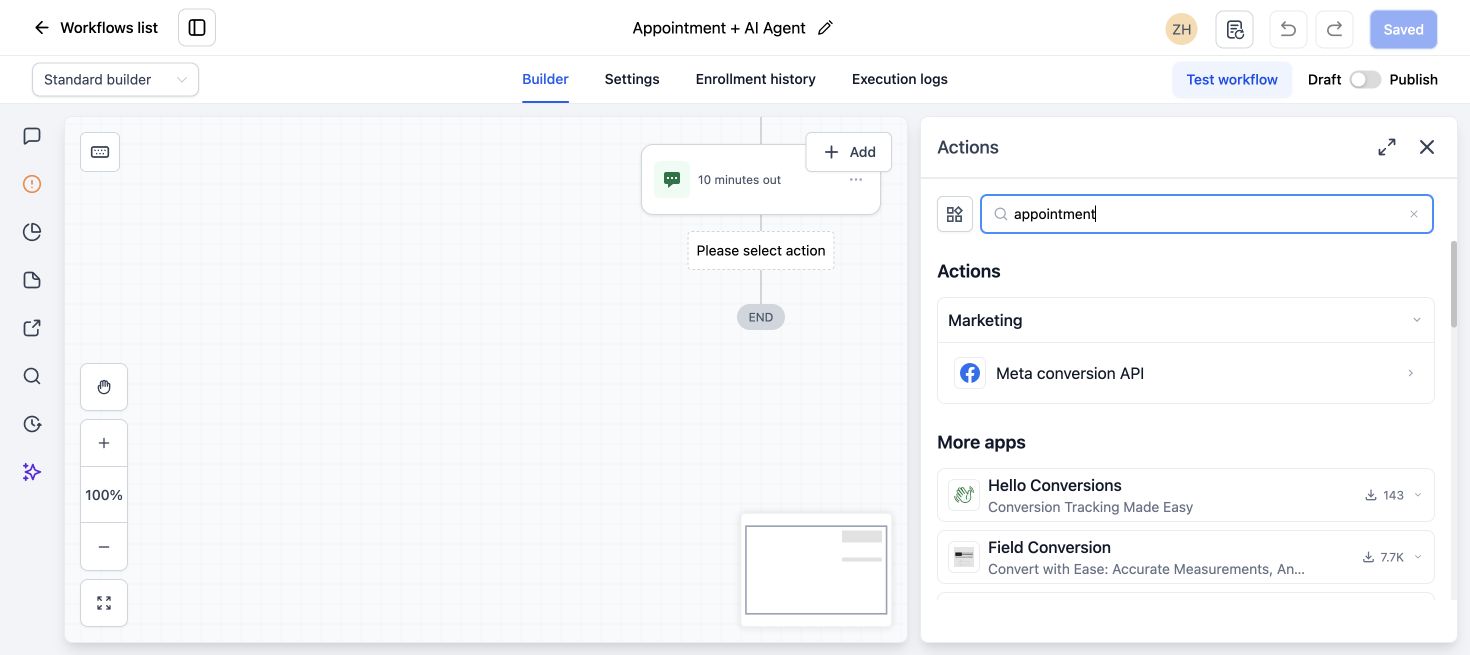
- Add Appointment Booking as an action.
- Choose Single Calendar for one consultation type, or Multiple Calendars for service-based routing.
- Add only calendars the agent is allowed to book.
- Write a specific description for each calendar.
- Set how many days and slots the agent can offer when those controls appear.
- Configure a fallback for no match or no availability.
- Confirm which required contact fields the agent should collect.
- Save and run test conversations for each service and an ambiguous request.
The calendar still controls availability, duration, buffers, minimum notice, and conflicts. AI working hours control when the agent handles calls. They are related but not the same setting.
Build confirmation and reminder automation
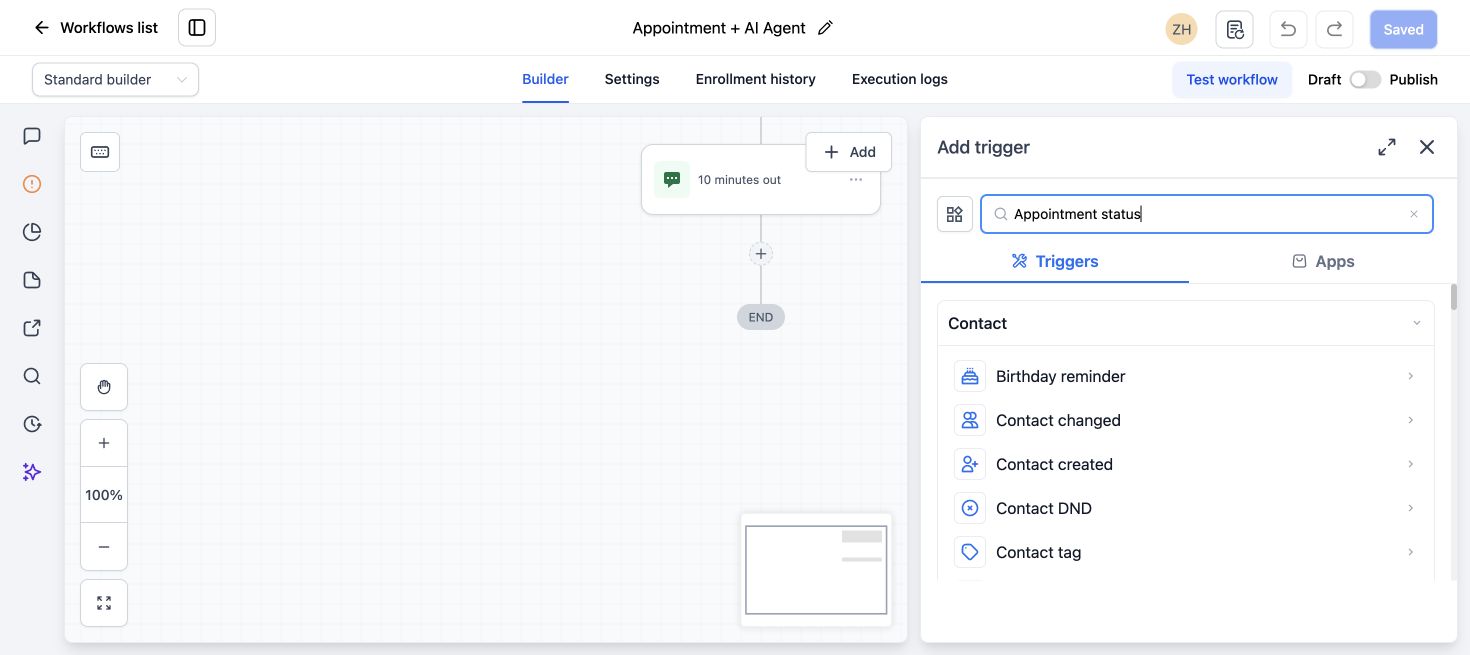
Use a Customer Booked Appointment or the correct appointment trigger for the intended calendar.
A practical sequence is:
- Immediate confirmation with date, time, location, reschedule link, and concise policy.
- A reminder timed according to the practice’s booking window.
- A closer reminder when appropriate.
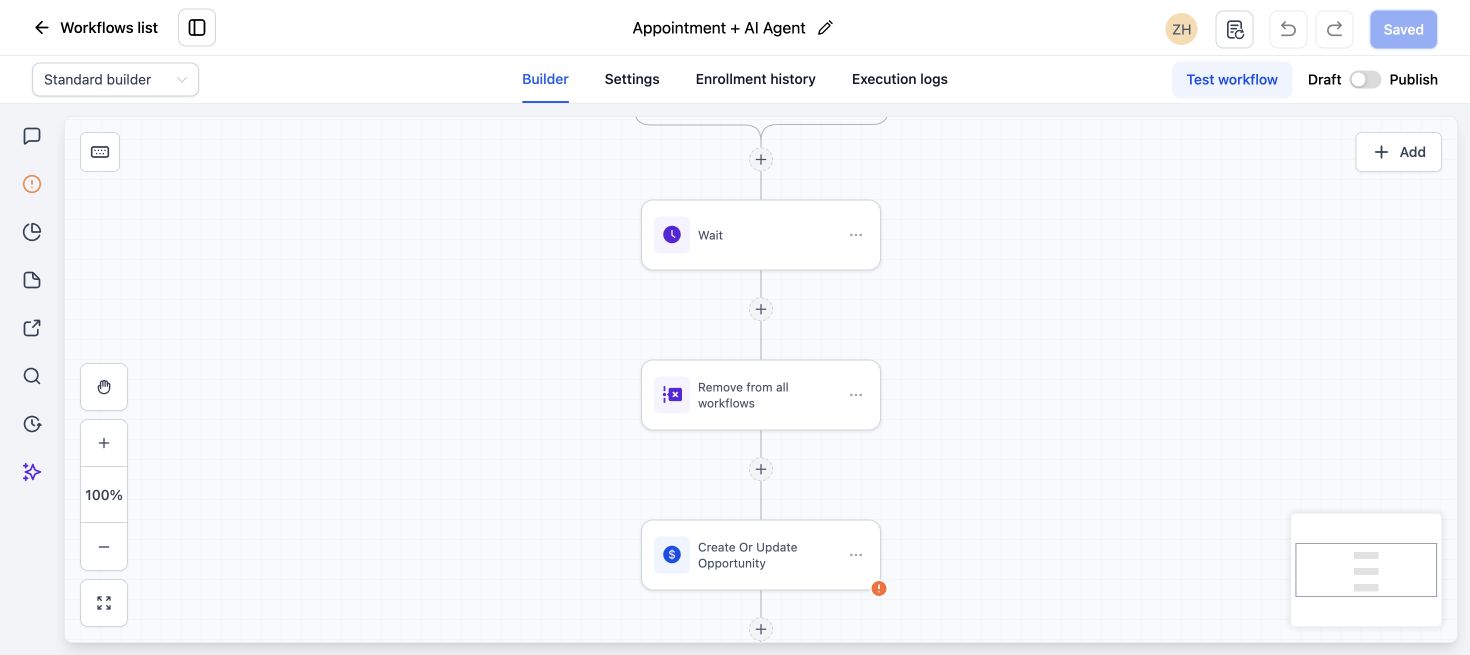
- An internal alert if the appointment is missing required location or meeting details.
- An exit or branch when the appointment is canceled or rescheduled.
HighLevel also provides calendar-level SMS, email, WhatsApp, and in-app notifications in the current calendar notification settings. Choose either calendar notifications or workflows deliberately so the customer does not receive duplicates from both.
Keep reminder content neutral. Avoid placing procedure details or medical information in subject lines and message previews.
Example:
Hi {{contact.first_name}}, this is a reminder of your appointment with Northside Med Spa on {{appointment.start_time}}. Use this link if you need to reschedule: {{appointment.reschedule_link}}. Reply to this message if you need help.Verify the current merge fields in the live workflow before publishing.
Build the no-show recovery workflow
Use Appointment Status with status No-show and filter it to the intended calendars. HighLevel’s Appointment Status trigger guide lists New, Confirmed, Canceled, Showed, No-show, and Invalid as current status filters.
Immediate actions
- Notify the assigned user or front desk.
- Create a short-due follow-up task.
- Add a
no_show_recovery_opentag. - Send one respectful message with a reschedule option.
Example:
Hi {{contact.first_name}}, we missed you at Northside Med Spa today. If you would like to choose another time, you can reschedule here: {{appointment.reschedule_link}}. Reply if you need help from the front desk.Follow-up branch
After a reasonable wait:
- If the contact rebooked, remove the recovery tag and end the sequence.
- If the contact replied, stop automation and let the assigned person handle it.
- If there is no response, send one final reminder or create a call task according to the practice’s policy.
- If the person opts out, respect DND and end promotional messaging.
Do not send a new review request from the no-show branch. The customer did not complete the experience being reviewed.
Add review automation after a completed visit
Use Appointment Status = Showed or another verified completion event.
- Wait until the service and immediate checkout process are complete.
- Send the configured Reputation Review Request.
- Prevent a duplicate request for the same visit.
- Route a new low-rating review to the manager for a human response and service recovery.
Ask every eligible customer for an honest review. Do not show the Google link only after a positive private score. That is review gating.
Keep review automation separate from clinical follow-up. A customer with a medical concern needs the approved care pathway, not a marketing sequence.
Create the human handoff rules
The system should transfer or alert a person when:
- The caller asks for a clinician.
- The caller reports pain, an adverse reaction, or another medical concern.
- The caller asks whether a treatment is medically suitable.
- The agent cannot verify the answer.
- The customer disputes a charge or deposit.
- The customer complains or requests a manager.
- No matching appointment type or time is available.
- The customer needs accessibility or language support outside the tested AI setup.
Define the destination, hours, timeout, and after-hours fallback for each rule. A transfer action without an available recipient is not a handoff.
Test the med spa journey end to end
Use synthetic contacts and safe test calendars.
Test these scenarios:
- New caller asks for a general consultation.
- Caller asks about injectables and receives the correct calendar.
- Caller gives an ambiguous service request.
- Caller asks a clinical suitability question.
- Caller reports a medical concern and reaches the approved escalation.
- Requested calendar has no availability.
- Caller books, reschedules, and cancels.
- Appointment is marked Showed.
- Appointment is marked No-show.
- Contact replies, opts out, or asks for a person.
For each test, inspect the call log or transcript according to the approved policy, contact fields, appointment, workflow history, messages, assignment, and task.
Measure the system by stage
Track:
- Calls offered to AI.
- Calls answered and completed.
- Human transfers attempted and connected.
- Service intent captured.
- Appointments booked.
- Booking errors or wrong-calendar selections.
- Confirmations and reminders delivered.
- Cancellations, reschedules, Showed, and No-show statuses.
- No-shows rebooked.
- Review requests sent and reviews received.
- Complaints and service-recovery tasks still open.
Do not publish an AI booking or no-show reduction claim unless the practice has measured it with a defined period and denominator.
What to do next
Choose one location and one consultation type. Build and test the complete phone-to-booking-to-status path. Add more calendars and services only after ambiguous requests, human transfers, reminders, and no-show branches work reliably.
Frequently asked questions
Can GoHighLevel Voice AI book med spa appointments?
Yes. HighLevel Voice AI can use an Appointment Booking action with one calendar or several eligible calendars. The calendar rules, agent scope, routing descriptions, and test coverage determine whether the booking is reliable.
Should the AI receptionist answer treatment questions?
It can answer approved general information from the practice’s knowledge base. It should not diagnose, recommend a treatment, promise results, or decide medical suitability. Route clinical questions to qualified staff.
How does GoHighLevel recover med spa no-shows?
Use Appointment Status = No-show to notify staff, send a respectful reschedule option, create a task, and stop when the person replies or rebooks. Keep the sequence short and aligned with the practice’s policy.
When should a med spa request a review?
Use a verified completed-experience event such as Appointment Status = Showed. Ask every eligible customer for an honest review and avoid review gating.
Is GoHighLevel HIPAA compliant for med spas?
Not by default. HighLevel currently requires a paid HIPAA add-on, BAA, and location-level enablement. The med spa and agency must still review their roles, policies, staff access, integrations, AI data, messaging, and other vendors.
Are med spa inquiries or cancellations leaving empty slots?
For an administrative call-to-booking build, review our AI receptionist and missed-call recovery service. If an existing GoHighLevel follow-up or rebooking journey is unreliable, our $200 workflow audit can check the agreed path. Clinical decisions stay with your staff; implementation and repairs are scoped separately.
2 Comments