
GoHighLevel for Roofers: Missed Calls, Estimate Follow-Up and Review Automation
GoHighLevel can help a roofing company recover missed calls, organize estimate requests, follow up on open quotes and request reviews. But I would not start with a giant roofing automation template. I would build a small number of reliable workflows around the actual sales process.
Look at it from the roofer’s side. Leads arrive while the team is driving, inspecting a property or handling storm demand. The CRM cannot replace the estimator, but it can make sure every enquiry is acknowledged, assigned and visible until somebody owns the next step.
Recommended starting system: one lead-capture pipeline, missed-call recovery, estimate reminders, appointment confirmation, job-complete review requests and a dashboard that shows leads with no next action.
For the complete roofing journey, combine the 14-day estimate follow-up workflow with the after-hours response system. The AI receptionist versus chatbot guide helps choose the first touchpoint, and the post-booking workflow covers what happens after an inspection is scheduled.
I would build the roofing pipeline before the automations
Use stages that match decisions the team actually makes. A practical pipeline could be New enquiry, Contacted, Inspection booked, Estimate sent, Follow-up, Won and Lost.
Do not create a stage for every message. The pipeline should tell an owner what must happen next. Add fields only for information the team will use, such as service area, roof type, storm or insurance context, inspection date and lead source.
GoHighLevel workflows for roofers
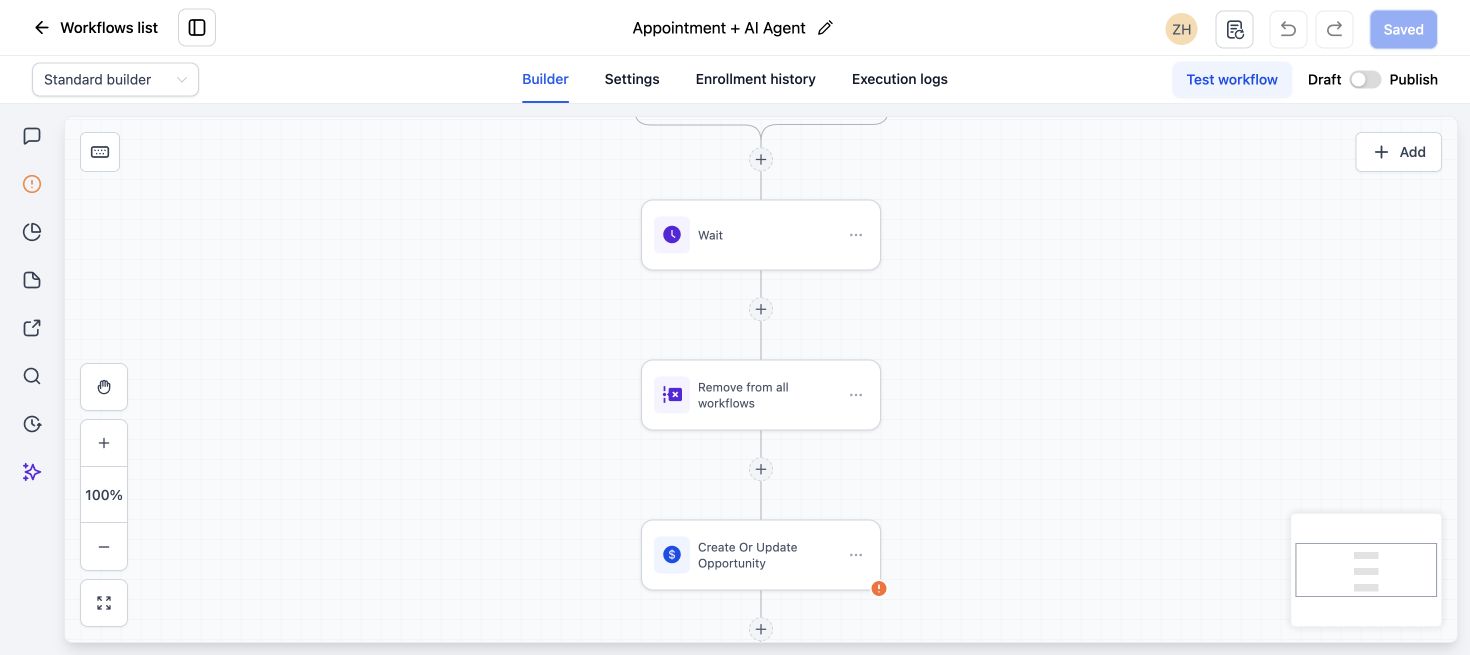
- Capture every enquiry. Connect website forms, landing pages, calls and supported ad lead sources. Create the contact, record the source and assign an owner.
- Recover missed calls. Send a short text acknowledging the missed call and asking what help is needed. The message should create a path to a person, not pretend the call was answered.
- Respond to estimate requests. Confirm receipt immediately, then notify the estimator with the contact details and requested service. Create a task if no booking was made.
- Confirm inspections. Send the date, time window, property address and reschedule instructions. Use the contact’s local timezone and stop reminders if the appointment changes.
- Follow up after an estimate. Use a short sequence that checks whether the homeowner has questions and creates a sales task. Stop when the opportunity is won, lost or placed on hold.
- Recover no-shows. Provide an easy rebooking path and alert the assigned user for high-value projects.
- Request a review after completion. Trigger the request from a verified completed-job action, not simply from the original appointment date.
- Monitor leads with no next action. Use tasks, opportunity stages and reporting to find enquiries that have not received a response or future follow-up.
Set up missed-call recovery carefully
A simple response can say that the team missed the call and ask whether the caller needs a repair, inspection or another service. During storms, a clear expectation about response time is more trustworthy than an instant promise.
HighLevel’s missed-call text-back can trigger on each missed call, so repeat callers may receive repeated messages. Use workflow logic and testing to limit unnecessary duplicates, especially when IVR, voicemail or call routing is involved.
Emergency language matters. If the company does not provide emergency service, do not let an automated reply imply that immediate help is on the way.
Follow up on estimates without sounding robotic
Estimate follow-up should be connected to the estimate stage and owner. A useful first message asks whether the homeowner received the estimate and has questions. The next step may be a task for a person rather than another generic sales text.
Stop the workflow when the status changes. Nothing damages trust faster than a customer receiving “Are you still interested?” after approving the work.
Ask for reviews at the right moment
Trigger the review request after the team confirms the job is complete and the customer has had an opportunity to raise a concern. Send one clear link and a polite reminder only when appropriate.
Do not filter requests in a way that violates a review platform’s rules. Use a service-recovery process for unhappy customers, but give customers a fair and compliant review path.
Where AI can help a roofing company
An AI receptionist can answer approved questions, collect the property address and job type, then offer an inspection calendar or hand the call to a person. Keep the knowledge specific and do not allow the AI to diagnose roof damage or promise insurance coverage.
Use AI for fast intake and routing, then let qualified staff handle scope, safety, pricing and claims-related conversations. Review recordings and transcripts to find questions the system could not answer.
Test the roofing lead journey
- Submit the website form and confirm the source is saved.
- Place a missed call twice and check duplicate control.
- Book and reschedule an inspection.
- Move an estimate to Won and verify follow-up stops.
- Mark a test job complete and confirm the review request.
- Check that every failure creates a visible task or alert.
For the missed-call journey, see our AI receptionist and missed-call recovery service. For a complete account build, use our Business System Setup.
GoHighLevel for roofers FAQs
Is GoHighLevel suitable for roofing companies?
It can be a strong fit for lead capture, pipeline visibility, appointment reminders, estimate follow-up and reviews. The account still needs to match the company’s sales and job-management process.
Can GoHighLevel replace roofing production software?
Not always. HighLevel is strongest around marketing, conversations, CRM and automation. A roofer may still need dedicated estimating, measurement, production or accounting tools and a reliable integration plan.
Can GoHighLevel text every missed caller?
HighLevel offers missed-call text-back, but consent, local rules, repeat calls and call-routing behavior must be considered. Test the exact phone configuration before launch.
Can Voice AI book roof inspections?
It can collect approved information and book a supported calendar. Use clear service-area rules and a human handoff for emergency, technical, insurance or unusual requests.
Losing roofing inquiries between the call and the inspection?
Show us your missed calls, open estimates and inspection booking process. We can map the response, follow-up and team handoff around the way your roofing business works. Book a free 30-minute call to discuss your current process.
2 Comments