

Plug and Play GoHighLevel Snapshot: What Still Needs Setup
A plug and play GoHighLevel snapshot should mean faster installation, not zero setup. A snapshot can copy reusable configuration into a sub-account. It cannot know the buyer’s domain records, phone ownership, sender credentials, calendar availability, payment account or business rules.
A better promise is prebuilt and installable. The reusable system arrives faster; the client-specific connections are still completed and tested.
What a snapshot can carry
HighLevel’s current snapshot documentation lists reusable assets such as workflows, funnels, forms, calendars, custom fields, custom values, pipelines, tags, templates and several AI or content assets. Availability depends on the source account and selected categories.
Copied assets can still require integrations, approvals or post-load configuration. The snapshot accelerates the build; it does not replace the installation.
The 12-point post-import connection checklist
- Business details: legal name, address, timezone and locale.
- Users: owners, assigned team members, permissions and routing.
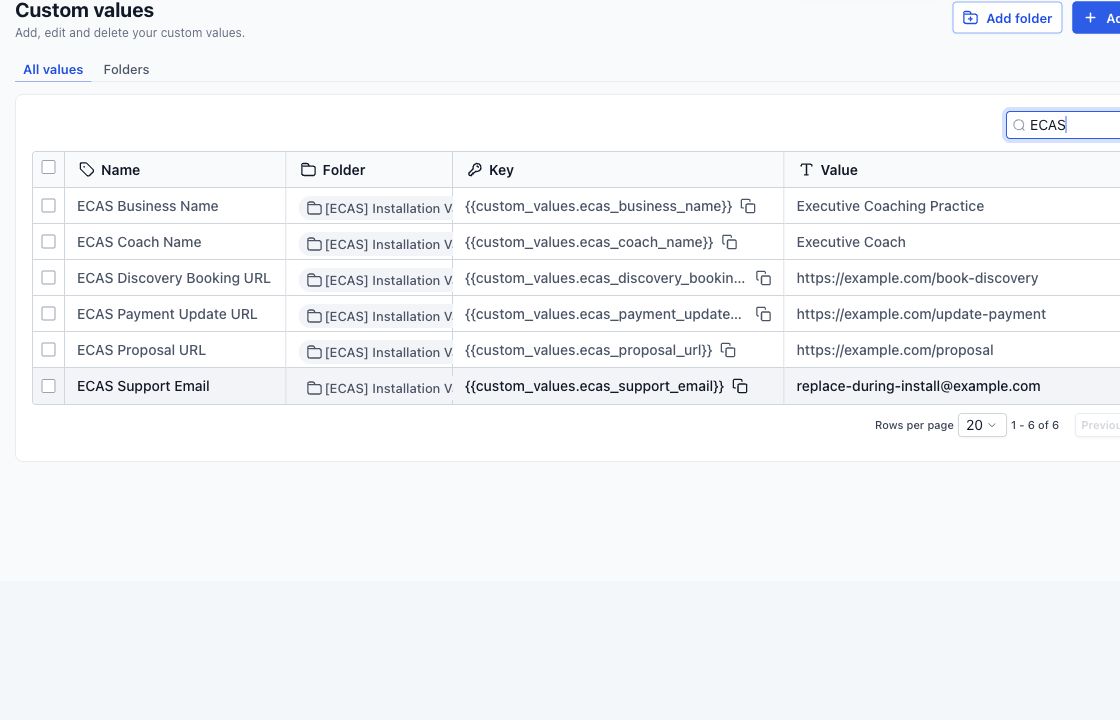
- Custom values: replace names, links, emails and offer-specific text.
- Domains: connect and verify websites, funnels and branded links.
- Email: configure the sending service, authentication and From details.
- Phone: assign numbers, registration, forwarding and voicemail behavior.
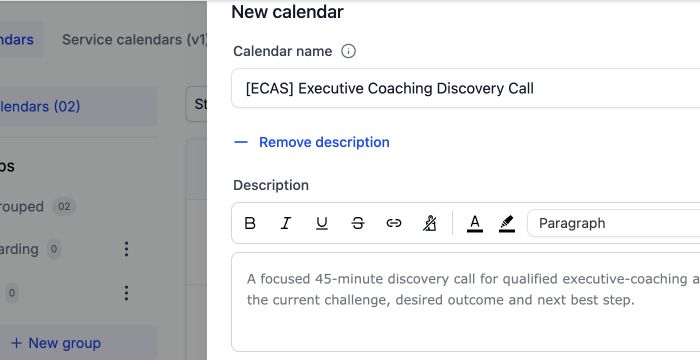
- Calendars: owner, availability, meeting location, conflicts and form.
- Payments: connect the account and verify products, links and receipts.
- Forms: confirm field mapping, consent language and notification recipients.
- Workflows: check triggers, dependencies, wait times and stop conditions.
- AI tools: verify knowledge, goals, escalation, channel and assigned number.
- Test journey: submit, qualify, book, reply, opt out and force an exception.
A useful definition of “installed”
A snapshot is installed when the selected assets are loaded, required client details are replaced, client-owned services are connected and the agreed journeys pass testing. “It imported without an error” is not the same as “it is ready to use.”
Questions to ask before buying
- Which assets are included, and can I see the actual workflow and pipeline structure?
- Does the price include import, installation or only access to the snapshot?
- Which domains, phone services, email services, calendars and payment accounts must I connect?
- Who runs the test journey and fixes missing dependencies?
- What happens when HighLevel changes an action or the seller releases an update?
A useful demo should answer those questions on screen. A long feature list does not prove that the system is ready for your account.
What our $697 coaching offer includes
The Executive Coaching Client Acquisition Snapshot includes the reusable snapshot and one installation. Broader setup—such as DNS, phone registration, sender configuration, payment connection or custom integration—is separate unless included in the agreed scope.
That boundary keeps the price honest. It also gives the buyer a clear list of what must happen before launch.
For help completing the client-specific connections, review our Business System Setup.
Need a snapshot built for your client journey?
We can scope a reusable snapshot around your niche, test the workflows and document the account connections needed after installation. Build, installation and custom work are scoped and quoted before work starts.


One Comment