
GoHighLevel API V2 Authentication: Private Integration Token vs OAuth 2.0
Who will install your integration: just your team, or other agencies too? Choosing correctly now can prevent permission problems and an expensive authentication rewrite later.
For a controlled internal integration with one HighLevel location, I would start with a Private Integration Token. When other agencies or locations need to install your app, use OAuth 2.0. We’ll compare the two so you can choose based on who needs access, not just which token is easiest to create.
Short answer: If the integration belongs to your own business and accesses one location, start with a Private Integration Token. If you are building a marketplace app, multi-client product or repeatable agency integration, use OAuth 2.0.
Authentication only gets the connection started. If you are still deciding how the payload should store business data, use the guide to custom fields, custom values and custom objects next.
Private Integration Token versus OAuth 2.0
| Decision | Private Integration Token | OAuth 2.0 |
|---|---|---|
| Best for | Internal tools and controlled one-location connections. | Apps installed by several agencies or locations. |
| User authorization | An administrator creates and supplies the token. | The user approves access through an authorization flow. |
| Location scale | Normally one location at a time. | Designed for repeatable multi-install use. |
| Token lifecycle | Managed manually and should be rotated when exposed. | Uses access and refresh tokens that the app must manage. |
| Marketplace use | Not the right foundation for a public app. | The standard choice for public and marketplace integrations. |
When a Private Integration Token is enough
A private token works well for an internal dashboard, scheduled data export, custom report or automation that belongs to one company. It is also useful for a temporary migration script when access stays under one administrator’s control.
Create the token with only the scopes the integration needs. A contact synchronization tool may need contact read and write access but should not automatically receive payment, user or workflow permissions.
- The integration is for your own account.
- It accesses one location at a time.
- No outside customer needs to install it.
- You can rotate the token if a team member or vendor changes.
- You do not need a marketplace installation flow.
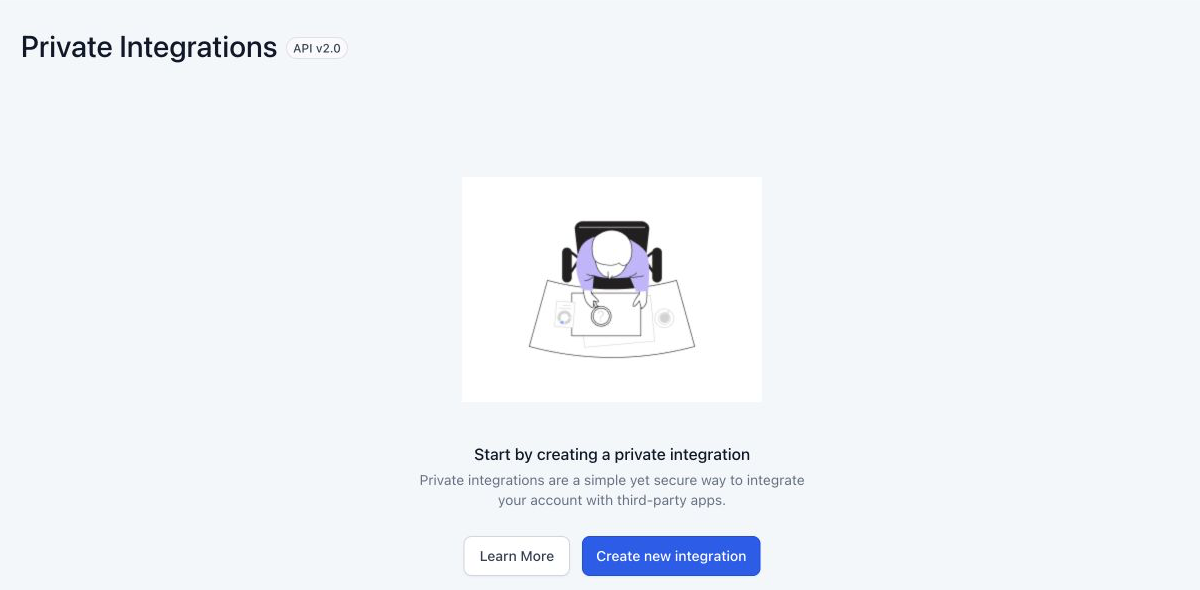
When OAuth 2.0 is the correct choice
OAuth is designed for applications that ask a HighLevel user to grant access. The application redirects the user to authorization, receives a short-lived authorization code, exchanges it for tokens and later uses the refresh token to maintain access.
Use OAuth when you want agencies to connect their own accounts without sharing a permanent private token. It also gives your app a repeatable installation and revocation model.
OAuth adds responsibilities
Your application must securely store client credentials, access tokens and refresh tokens. It must also handle expired tokens, revoked installations, failed refresh requests and changes to granted scopes. These are product requirements, not optional technical polish.
Never ask clients to paste a private token into an ordinary support message or shared document. If a token has been exposed, revoke or rotate it rather than assuming deletion from the message is enough.
Plan your scopes before writing code
Scopes control which HighLevel resources the integration can access. Requesting too little causes 401 or 403 errors later. Requesting everything creates unnecessary security and review concerns.
- List every API action the integration must perform.
- Map each action to the required HighLevel scope.
- Separate read-only operations from writes.
- Remove permissions that are not part of the real use case.
- Test with a non-production location before connecting client data.
Common HighLevel API authentication errors
401 Unauthorized
Check whether the token is missing, expired, revoked or sent in the wrong authorization header. Also confirm that the request is using the current API base URL and version.
403 Forbidden
The identity may be valid but missing the required scope or access to the target location. Compare the endpoint’s documented scopes with those granted during installation.
Location ID does not match the installation
A valid token cannot automatically access every location. Confirm that the location in the request belongs to the installation or private token being used.
OAuth refresh stops working
Store the latest returned refresh token if the provider rotates it. Log refresh failures without printing the complete token. When authorization is revoked, send the user through installation again instead of retrying indefinitely.
A safer implementation checklist
- Use environment secrets or a secure secret store, never client-side JavaScript.
- Encrypt stored OAuth tokens.
- Request only necessary scopes.
- Validate the location before writing data.
- Use idempotency or duplicate checks for create operations.
- Respect rate limits and retry only safe failures.
- Record audit logs without exposing credentials or private contact data.
- Provide a clear disconnect and revocation process.
If WordPress, WooCommerce or another system needs to create and update HighLevel records, our WordPress to GoHighLevel integration service can cover authentication, field mapping, webhooks and failure handling. For wider account work, see our GoHighLevel agency support.
HighLevel API V2 FAQs
Can a Private Integration Token access several subaccounts?
HighLevel positions private tokens for internal access and generally one location at a time. Use OAuth when your application needs a repeatable installation across several customer locations.
Does OAuth remove the need for scopes?
No. OAuth installations still grant defined scopes. Your app should request only the permissions required for its visible functions.
Should I put a HighLevel token inside a WordPress plugin?
Do not expose a permanent token in public plugin code or front-end JavaScript. Store credentials securely on the server and limit the scopes and locations they can access.
Can I change from a private token to OAuth later?
Yes, but the application will need an installation flow, token storage, refresh handling and account mapping. Plan this before many clients depend on the original integration.
Need a reliable HighLevel integration?
We can map the authorization, data flow, webhooks and recovery process before the connection reaches client accounts.
Discuss Your Integration
4 Comments