
GoHighLevel Snapshot Audit: 6 Failures We Caught Before Launch
A GoHighLevel snapshot audit should find problems before a buyer finds them. During the executive-coaching build, we caught six issues that looked small in the builder but could create confusing follow-up or a poor installation.
Here are the six issues we found during the build review, why each mattered, and how we handled it before release.
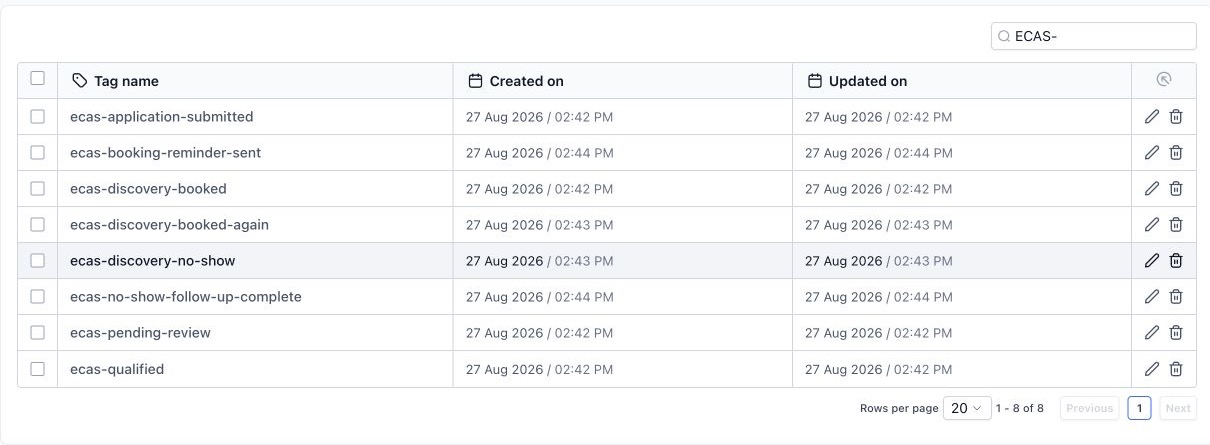
1. Required tags did not exist
The workflows referenced status tags before those dependencies were created. HighLevel showed warnings. We created the required tags, reopened the workflows and confirmed the warnings cleared.
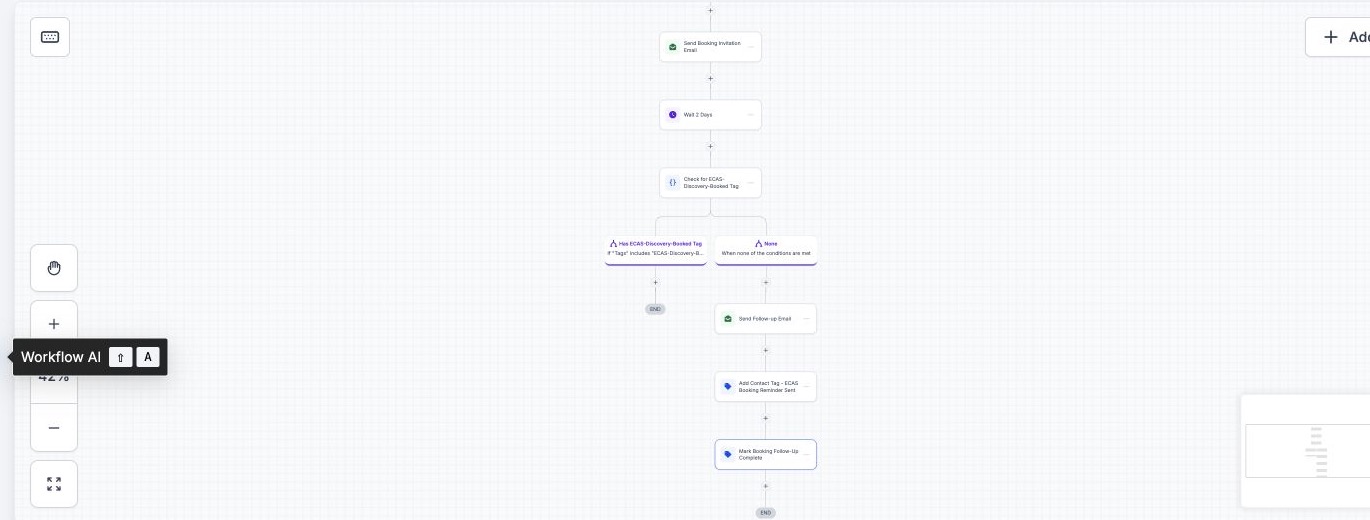
2. Two actions recorded the same status
The qualified-booking workflow had two final actions applying the same reminder status. That did not explain whether follow-up had merely been sent or the sequence had completed. We kept the action count stable and changed the final status to booking follow-up complete.
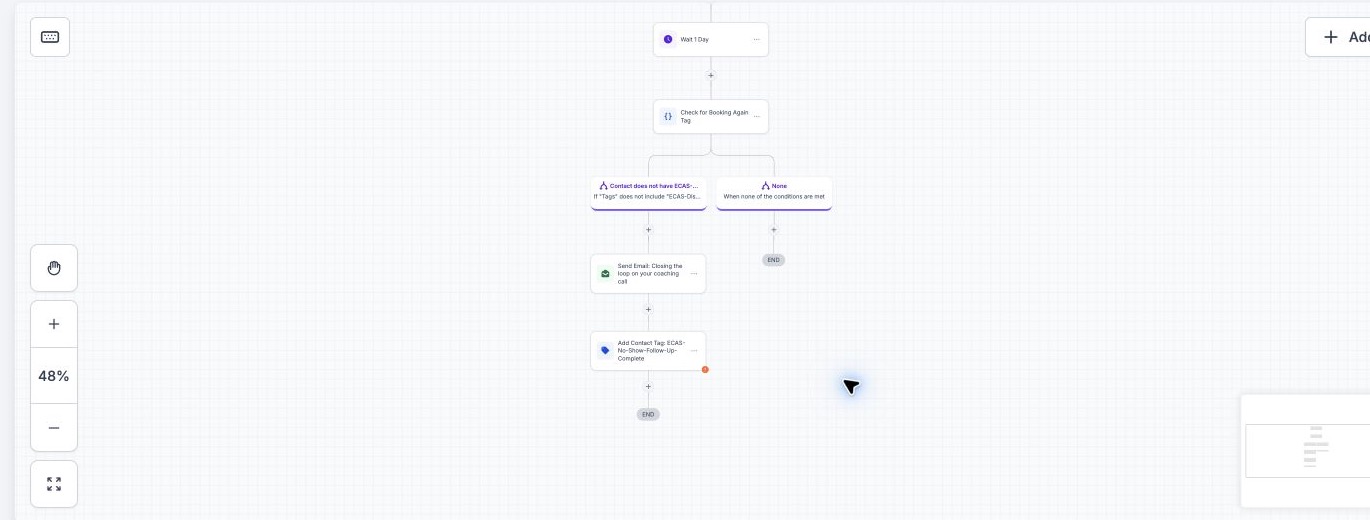
3. The visible canvas hid the true ending
A workflow screenshot ended before the last completion action. That is a documentation problem and a QA problem: reviewers may approve only the visible branch. We captured the lower section separately and verified that each path stops cleanly.
4. The form builder placed qualification questions after legal blocks
The coaching questions existed, but the default consent, submit and legal blocks appeared before them. Publishing that order would ask a visitor to submit before finishing the application. We rejected the form capture and kept it out of the public evidence set until the layout is rebuilt and previewed.
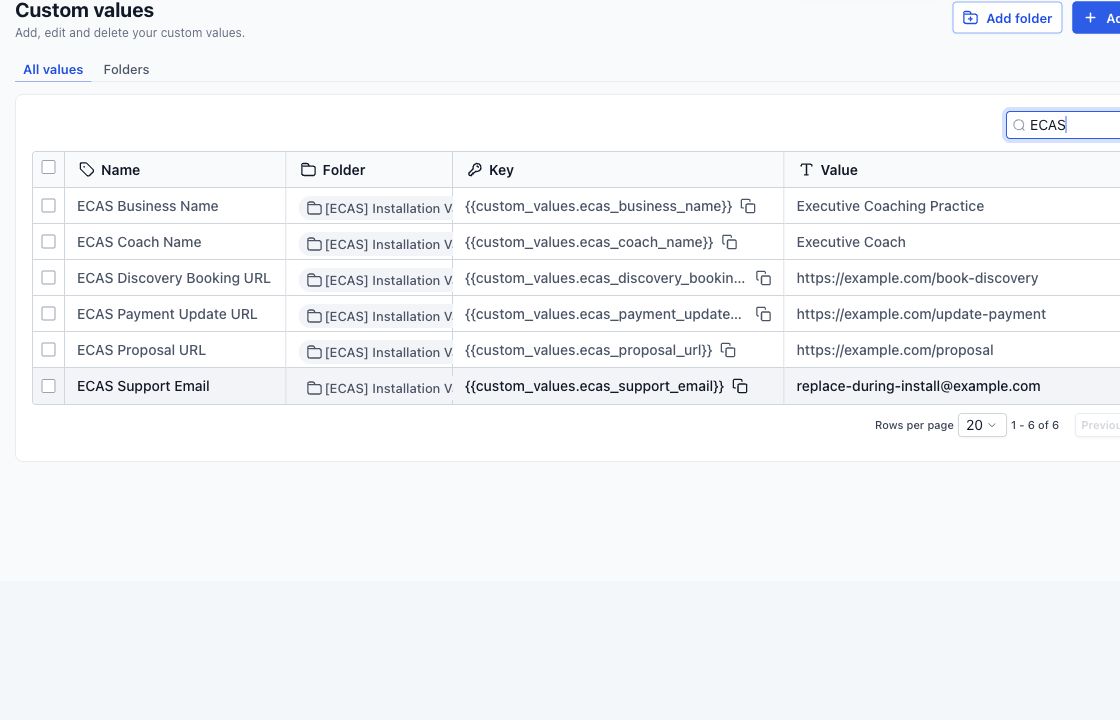
5. Installation values still contained placeholders
A reusable snapshot needs placeholders; a live client account does not. Coach name, booking link, proposal link, payment link and support email must be replaced during installation. The audit converts those values into a mandatory installation checklist.
6. Private account details could leak through proof screenshots
Raw screenshots included browser and account context that buyers do not need. We retained those privately, created cropped public versions and excluded account names, owner details, record IDs, URLs and navigation that could reveal the source environment.
The audit checklist we now use
- Open every workflow and confirm triggers, branches, goals and stop conditions.
- Verify every tag, field, value, pipeline and calendar dependency.
- Search for duplicate status actions and old client-specific text.
- Preview forms on desktop and mobile; do not approve the builder view alone.
- Replace installation values and connect client-owned services.
- Load into a clean test account and run each agreed journey.
- Review every public screenshot for private identifiers.
A snapshot audit is useful when it ends with a release decision: ready, ready after listed fixes, or unsafe to deploy. A long list without that decision is just paperwork.
See the full GoHighLevel snapshot QA process for the branch matrix and clean-account test.
Need a snapshot built for your client journey?
We can scope a reusable snapshot around your niche, test the workflows and document the account connections needed after installation. Build, installation and custom work are scoped and quoted before work starts.
One Comment