Custom Executive Coaching Snapshot: Build and Release Process
An executive coaching snapshot is only reusable when its logic follows a real client-acquisition journey. We started with a blank HighLevel sub-account and one sequence: application, review, discovery booking, follow-up and human sales handoff.
That order matters. HighLevel creates a snapshot from assets already built inside a source sub-account. The reusable system comes first; the snapshot is the package created from it.
Step 1: define the decisions before the automation
The journey has three decisions: Is this application worth reviewing? Is the person qualified enough to invite? Did the qualified person book? A separate recovery path handles a discovery-call no-show.
- An application creates a review task.
- A human decision marks the lead qualified or not ready.
- A qualified lead receives the booking link.
- The system checks for a booking before following up.
- A missed appointment starts one short recovery sequence.
Step 2: build data that the team can use
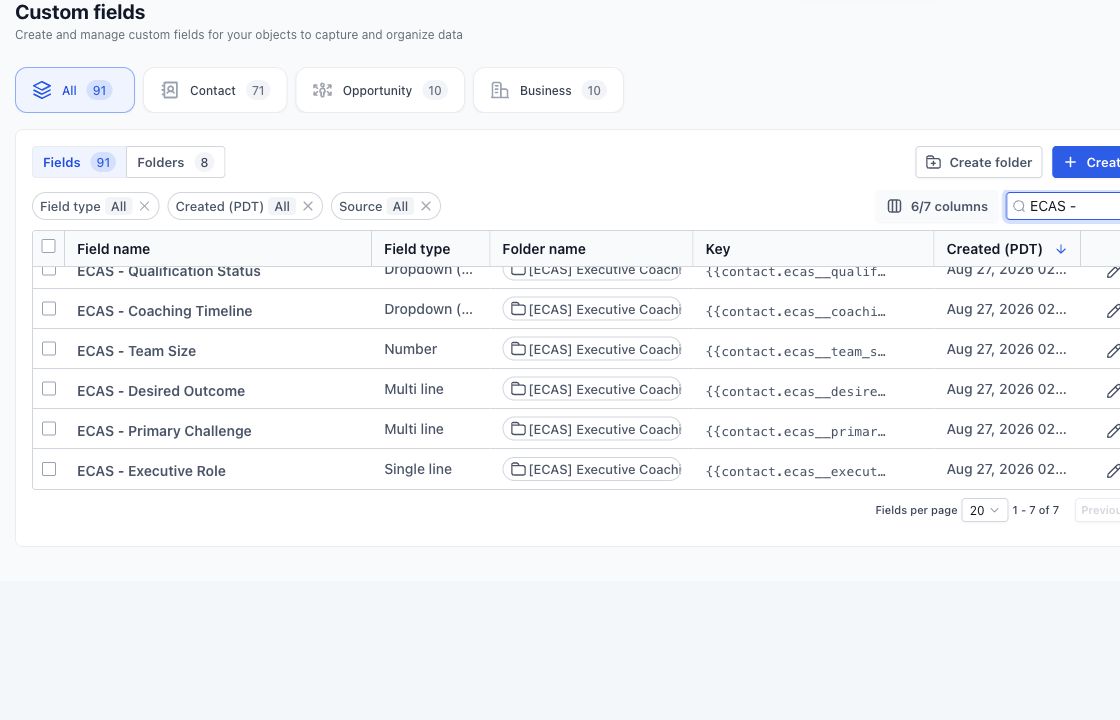
We created fields for executive role, primary challenge, desired outcome, team size, coaching timeline, qualification status and readiness. These are not decoration. They let the team review an application quickly, filter records and branch automation on clear answers.
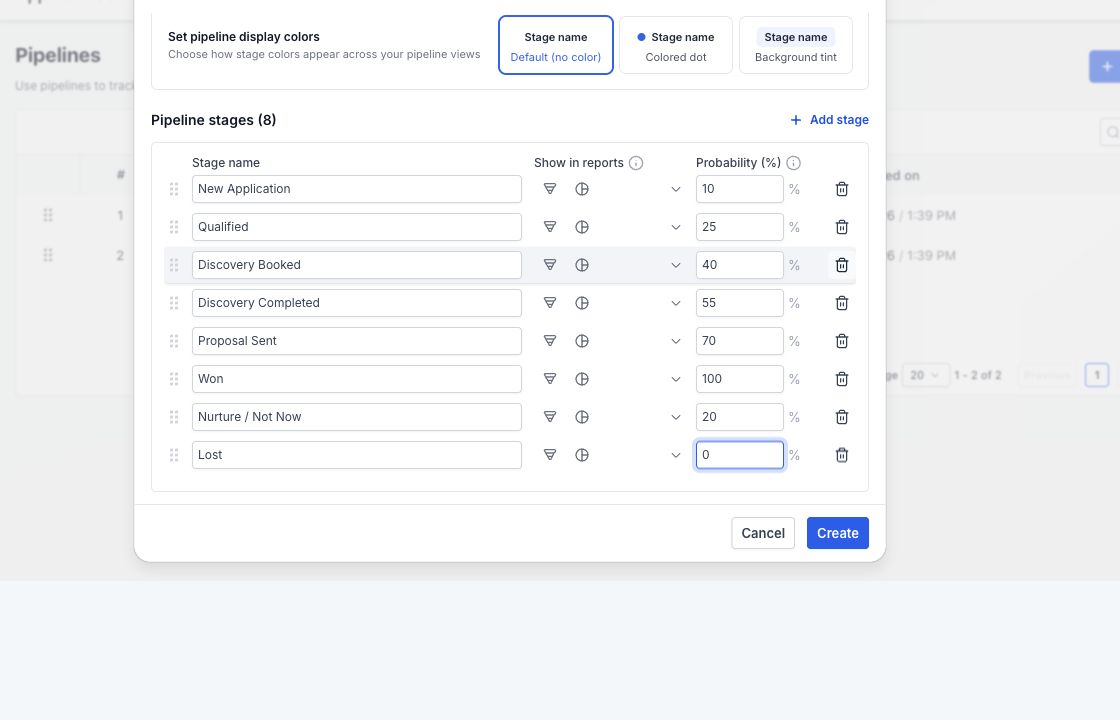
We then created an eight-stage pipeline: New Application, Qualified, Discovery Booked, Discovery Completed, Proposal Sent, Won, Nurture / Not Now and Lost. Each stage answers a practical question about the next action.
Step 3: isolate details that change during installation
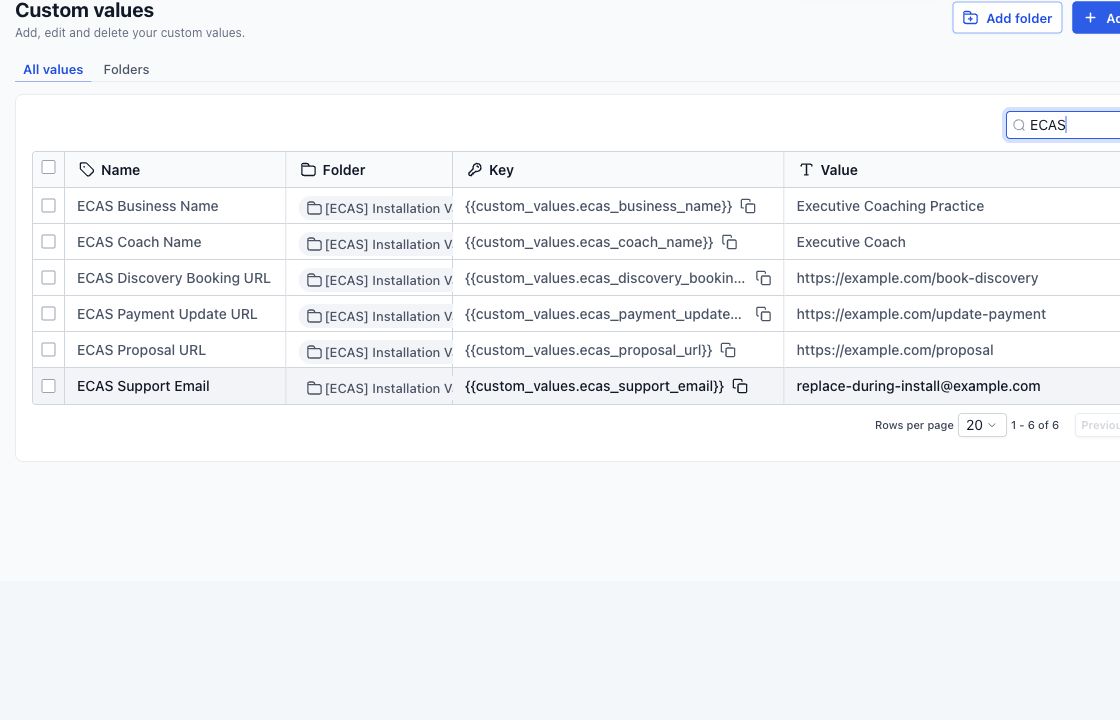
Coach name, business name, booking URL, proposal URL, payment-update URL and support email vary by installation. We placed those details in custom values so they can be replaced centrally. Hard-coding them into every message would make the snapshot slower and riskier to install.
Step 4: build the smallest complete workflows
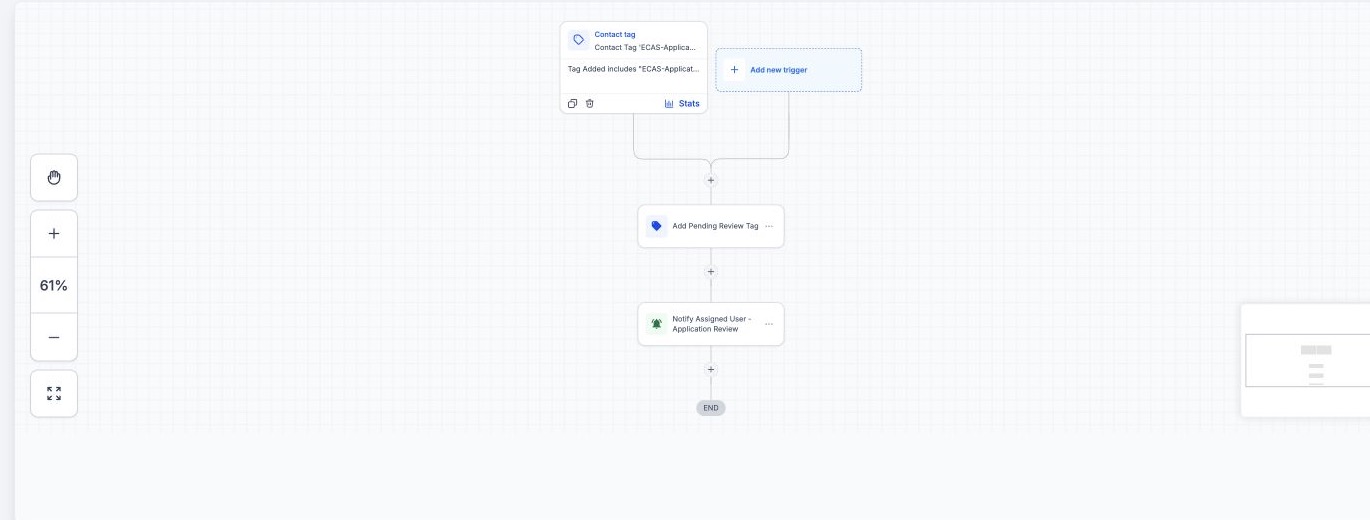
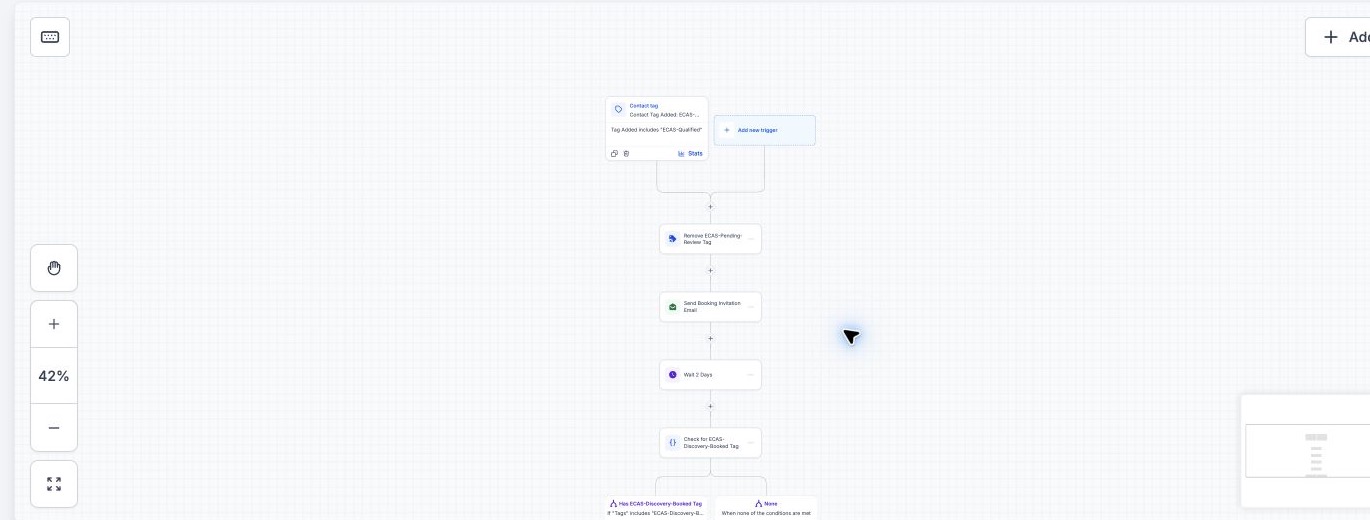
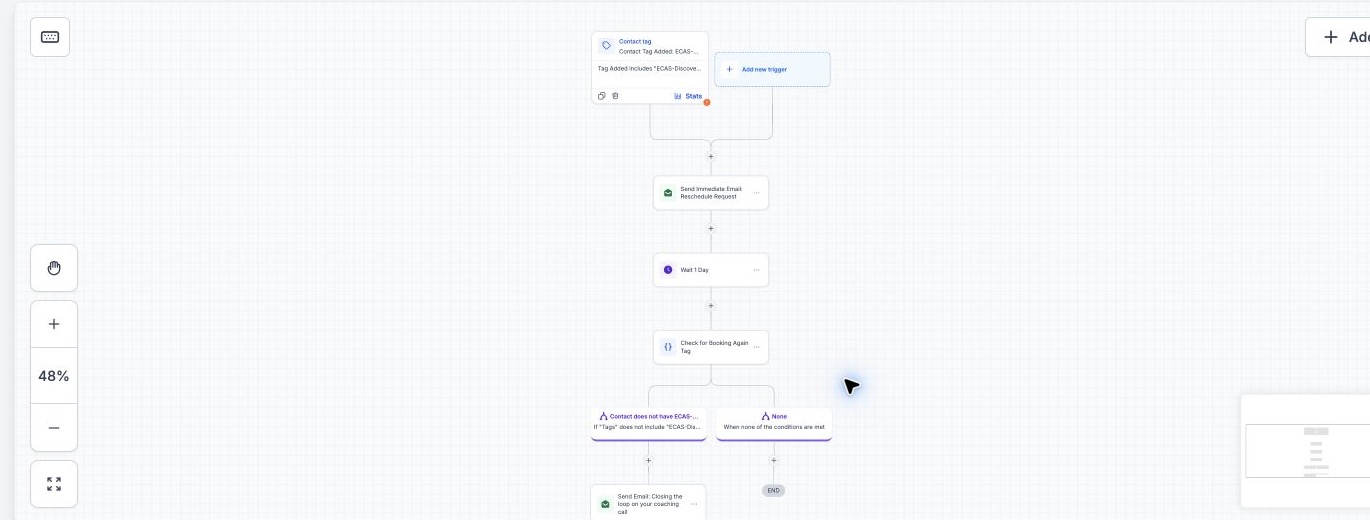
First, the intake workflow records the application and alerts the reviewer. Once a lead is qualified, the booking workflow sends the invitation and gives them time to choose an appointment. It then checks whether they booked before sending any follow-up. If they miss the call, a separate no-show workflow gives them one clear route back to the calendar.
Step 5: test dependencies, not just the happy path
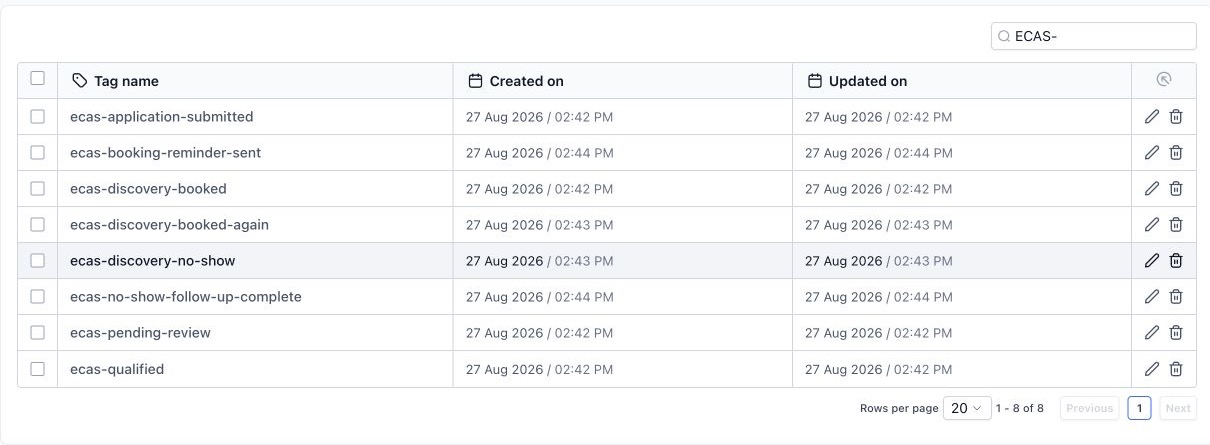
A workflow can look correct on the canvas and still fail after installation. Before you use it, check that the required tags exist and replace the client-specific custom values. Then confirm who owns the calendar, when they are available and where each form answer is stored. Finally, test that each branch stops when its goal is reached.
The remaining release work is straightforward but important: finish the application form, create the snapshot from the clean source account, load it into a separate test sub-account and run the agreed lead journeys end to end.
Release criteria for the executive coaching snapshot
- Every required field, tag, pipeline stage and custom value is included in the release manifest.
- A qualified application reaches the correct booking path without manual repair.
- A booking or rebooking stops unnecessary reminders.
- The clean test account exposes no hidden dependency on the source account.
- The installer receives a short list of client-owned connections that cannot travel inside the snapshot.
The lesson
The companion article on testing a snapshot in a clean sub-account shows the release checks that come after the source build.
A reusable snapshot is not “more automation.” It is a small system with clear decisions, replaceable client details and a testable handoff. If your coaching process follows the same journey, we can show you the build and identify what would need customization.
Need a snapshot built for your client journey?
We can scope a reusable snapshot around your niche, test the workflows and document the account connections needed after installation. Build, installation and custom work are scoped and quoted before work starts.