
GoHighLevel Attribution Explained: UTMs, First vs Latest Source and Missing Lead Data
Let me make GoHighLevel attribution simple. First Attribution preserves the earliest recorded source, while Latest Attribution can update when HighLevel records a newer qualifying interaction. Missing data usually means the UTM parameters were lost, the conversion used an untracked path, the session ended or a third-party process created the contact.
The important limitation is that attribution is not a complete multi-touch analytics model by itself. You can only trust it as far as you trust the links, pages, forms and integrations that created the data.
When the source is Facebook, first confirm that Facebook Lead Forms are syncing with GoHighLevel. Then map source details into the right custom fields or objects. The solar lead workflow shows how attribution fits into a complete qualification and booking journey.
First Attribution versus Latest Attribution, in plain English
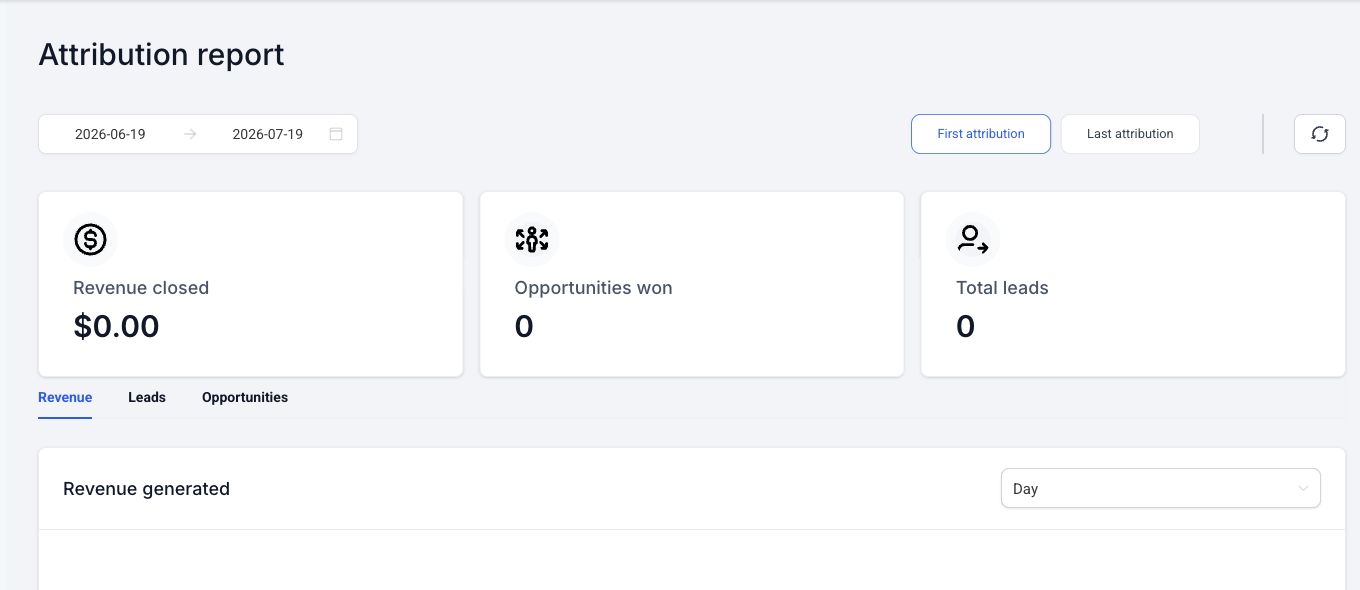
HighLevel stores both values because the first touch and the most recent captured conversion can answer different questions.
| Field | What it tells you | Example use |
|---|---|---|
| First Attribution | The earliest source HighLevel recorded for the contact | Which channel first introduced this lead? |
| Latest Attribution | The newest qualifying source HighLevel recorded | Which recent campaign brought the contact back before this action? |
Example:
- Priya first submits a HighLevel form after clicking a Google ad. First Attribution records Paid Search.
- Two weeks later, she returns through a tagged email link and books a consultation on a tracked HighLevel calendar.
- First Attribution remains the original paid-search source. Latest Attribution reflects the newer captured session.
Do not overwrite First Attribution with a custom “last lead source” field. Use First and Latest for their intended jobs, then add separate business fields if the sales team needs a manually verified source or referral partner.
HighLevel’s attribution source guide explains that both values are stored on the contact and that Latest can change while First remains fixed.
Where to find attribution on a contact
Open Contacts, select a contact, and look in the Activity area for the First and Latest Attribution details. Expand them to inspect the available source, medium, campaign, content, referring URL, landing page, and advertising identifiers.
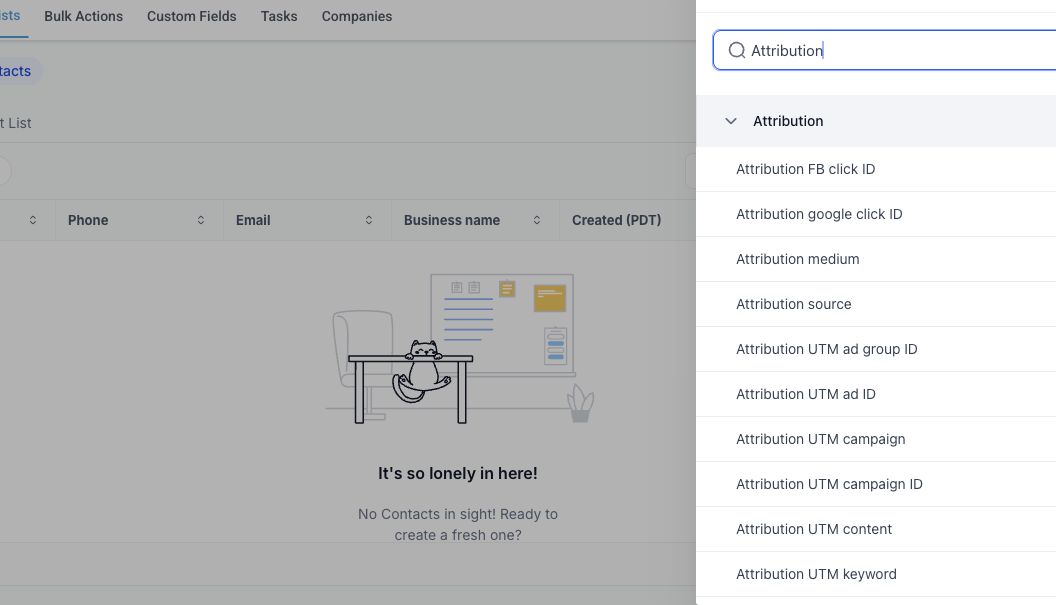
Start troubleshooting with one contact that you created through a controlled test. A random production lead may have passed through redirects, old links, browser privacy controls, or an integration you cannot reconstruct.
How HighLevel classifies traffic sources
HighLevel can classify captured sessions into source groups such as:
- Paid Search.
- Paid Social.
- Direct Traffic.
- Organic Search.
- Organic Social.
- Referral.
- Other communication sources.
- CRM UI.
- Third-Party.
The classification uses available URL parameters, click identifiers, and referring-domain information. For example, HighLevel’s documented ad-reporting patterns use utm_source=adwords for Google Ads and utm_source=fb_ad for Meta paid social. The values are case-sensitive.
A contact created manually in the CRM can appear as CRM UI. A contact created through an external integration can appear as Third-Party. Those labels may be correct even when the marketing team expected a campaign name. The integration that created the contact may not have passed the browser session or UTM data.
Build a consistent UTM structure
UTM parameters are query-string fields added to a destination URL. A simple naming system is easier to debug than a new format for every campaign.
| Parameter | Use | Example |
|---|---|---|
utm_source |
Platform or referrer | fb_ad, adwords, newsletter |
utm_medium |
Channel or placement group | paid_social, cpc, email |
utm_campaign |
Campaign name | agency_audit_aug_2026 |
utm_content |
Ad, creative, or link variant | video_problem_hook |
utm_term or HighLevel’s documented keyword field |
Search term where applicable | ghl_consultant |
Use lowercase values, underscores instead of spaces, and one stable naming dictionary. Do not call the same platform facebook, fb, meta, and fb_ad across four campaigns.
For HighLevel’s native Google and Meta ad-reporting views, use the current parameter templates from the HighLevel setup guide. Do not assume a custom naming convention will produce the same reporting classification.
Which actions record attribution?
HighLevel’s core attribution documentation lists qualifying native events such as:
- HighLevel form or survey submission.
- HighLevel calendar booking.
- Chat widget contact submission.
- One-step or two-step order form submission.
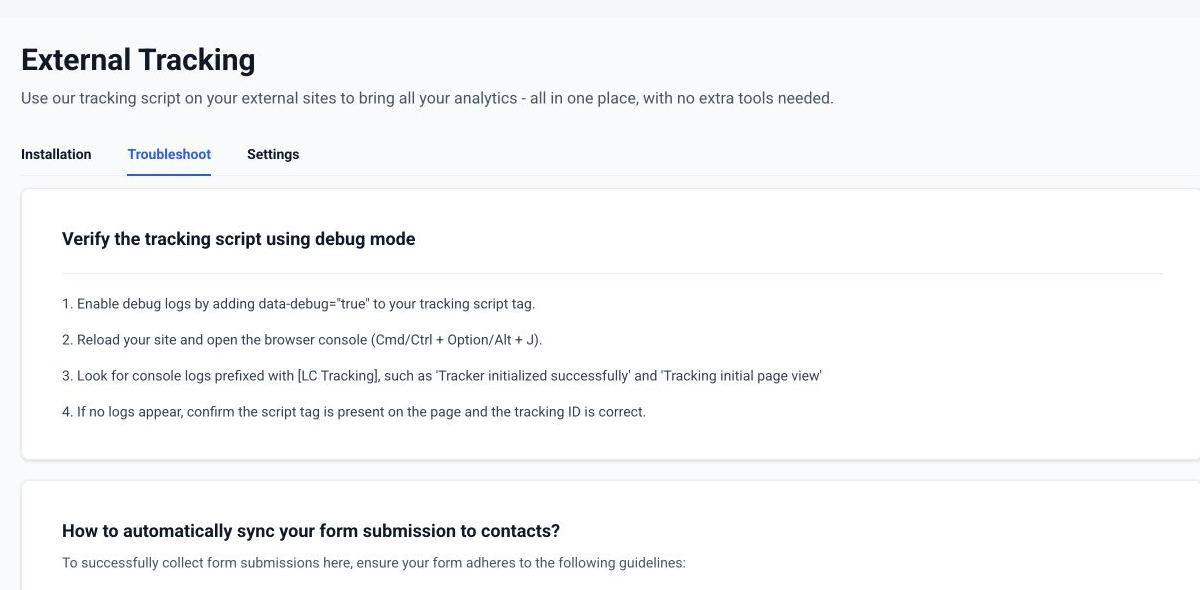
For an externally hosted website, HighLevel now also provides External Tracking. Its current external-form guide says the script can detect supported DOM-based forms, create or update contacts, and capture UTM, page, and session data. Supported examples include common WordPress forms and normal HTML forms. Forms embedded inside third-party iframes are not supported by that automatic detection.
This distinction matters. A third-party form can create a contact through Zapier and still fail to carry the original browser attribution. Either use a native HighLevel conversion element or implement and validate External Tracking on a supported form.
Set up attribution on a HighLevel page
For a native HighLevel funnel, website, form, survey, calendar, chat widget, or order form:
- Build the campaign destination URL with the intended UTM parameters.
- Keep the qualifying conversion on the tracked page or in the same supported session.
- Submit using a new test email and phone number.
- Open the test contact and inspect First and Latest Attribution.
- Compare the captured values with the exact URL used.
HighLevel warns that sending a visitor from the tagged landing page to a different page before submission can cause missing attribution in some setups. If the CTA opens another page, test whether the full query string and tracking session survive the transition. A form section or popup on the original landing page is often easier to validate.
Set up attribution on WordPress or another external site
Use HighLevel External Tracking when the live form is supported and the business wants the browser session recorded in HighLevel.
- Go to Sites > External Tracking in the HighLevel sub-account.
- Copy the location’s tracking script.
- Add it to the external site’s head area using the site’s approved deployment method.
- Confirm the connected status in HighLevel.
- Submit a supported form from a tagged test URL.
- Open the new contact and inspect attribution and activity.
- Check Sites > Analytics > External Tracking when the connected analytics view is available.
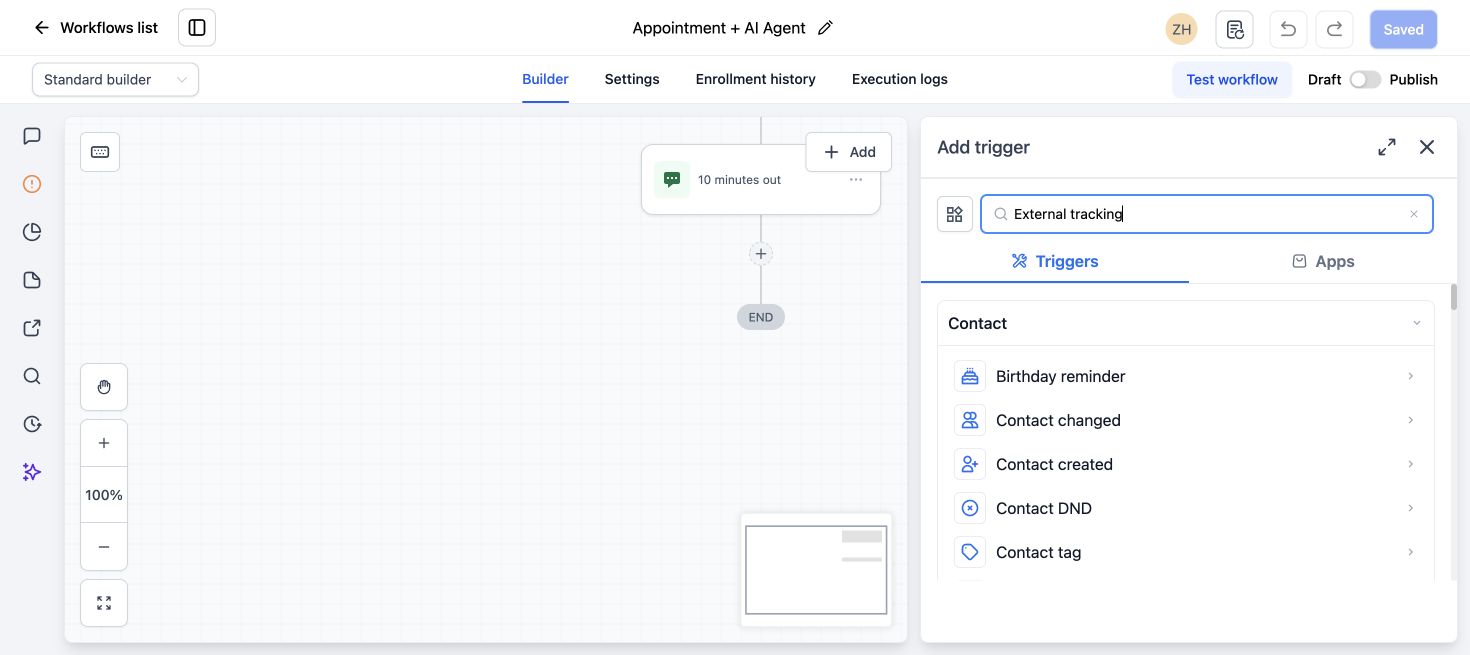
Do not paste a tracking script into WordPress globally without checking the existing analytics and consent setup. Avoid loading the same script twice through both a theme and a tag manager.
If the form sits inside an iframe, uses a custom JavaScript submission flow, or sends data only through another integration, plan a different capture method and test what attribution fields reach HighLevel.
Why lead attribution is missing
Use this diagnostic order.
1. Inspect the exact final URL
Check for:
- Missing question mark or ampersand.
- Spaces introduced by an ad builder.
- Misspelled keys such as
utm_souce. - Changed capitalization.
- A shortened link that drops the query string.
- A redirect that removes parameters.
Paste the final destination into a private browser window and inspect the address after every redirect.
2. Confirm the qualifying action happened in the tracked session
The visitor may have landed on the tagged page, clicked to an untracked domain, returned later, and submitted a different form. Reproduce the exact journey instead of testing only the final page.
3. Identify how the contact was created
Check the contact activity. If Zapier, an API, a CSV import, or manual entry created the contact, HighLevel may correctly classify it as Third-Party or CRM UI rather than preserving a web session that the integration never sent.
4. Check the form technology
For native assets, confirm the form, survey, calendar, widget, or order form belongs to the correct sub-account. For external assets, confirm the tracking script loads once and that the form is supported and visible in the page DOM.
5. Use a completely new test identity
An existing contact may retain old First Attribution and receive only a Latest update. Test with a new email and phone so you can distinguish contact creation from a returning session.
6. Compare First and Latest
Do not call the test a failure because First Attribution did not change on an existing contact. First is supposed to remain the earliest recorded source. Inspect Latest Attribution for the new captured interaction.
A controlled attribution test
Use a unique URL such as:
https://example.com/consultation/?utm_source=qa_test&utm_medium=manual&utm_campaign=attribution_check&utm_content=version_aThen:
- Open a private browser session.
- Load the exact tagged URL.
- Confirm the parameters remain after redirects.
- Submit the intended native or externally tracked form with a new test identity.
- Record the submission time.
- Open the contact in HighLevel.
- Compare First Attribution, Latest Attribution, source, landing page, and UTM values.
- Repeat with one intentional variation, such as a different content value.
This test shows whether the problem is campaign naming, the web journey, the form, the integration, or the contact record.
Report on attribution without overstating it
Use First Attribution to group original acquisition and Latest Attribution to understand recent captured sessions. HighLevel custom widgets can filter contact and opportunity reporting by First or Latest Attribution and specific UTM fields.
Keep these limits in the report notes:
- Attribution depends on captured events and identifiers.
- Direct Traffic can mean no usable referrer or tracking URL was available.
- Browser privacy, redirects, cross-domain journeys, and third-party contact creation can reduce the data.
- One contact’s First and Latest values do not show every touch between them.
- A marketing platform and HighLevel can credit conversions differently because their windows and identifiers differ.
Use consistent source data for operational decisions, but compare it with ad-platform reporting, call tracking, and sales outcomes before making a budget decision.
What to do next
Pick one important campaign and run the controlled test before changing every link. Once it works, document the approved UTM pattern, tracked conversion element, redirect behavior, and expected HighLevel fields. Then roll the pattern into the remaining campaigns.
Frequently asked questions
Does First Attribution ever change in GoHighLevel?
It is intended to preserve the first recorded source for the contact. A later qualifying interaction can update Latest Attribution without replacing First.
Why does a Facebook lead show as Third-Party?
The contact may have been created through an integration that did not pass the original browser or ad attribution data. Inspect the creation event, Meta integration, lead-form mapping, and available click or lead identifiers.
Why are my UTM fields blank even though the landing URL had UTMs?
The parameters may have been removed by a redirect, the visitor may have submitted on another page, or the form may not be a native or supported externally tracked form. Reproduce the full journey with a new test contact.
Can GoHighLevel track a WordPress form?
HighLevel External Tracking currently supports several DOM-based WordPress and HTML forms. It does not automatically detect forms inside third-party iframes. Install the script through a controlled site method and validate one real submission.
Is GoHighLevel attribution the same as Meta or Google Ads attribution?
No. Each system uses its own captured identifiers, event rules, and attribution logic. Use HighLevel for CRM-side source and outcome analysis, then reconcile it with the ad platforms instead of expecting identical totals.
Need this fixed for you?
Start with a $149 small fix for one clearly defined issue, subject to scope confirmation. If the cause is unclear or spans several workflows, choose the $200 workflow audit. The audit report is delivered within five business days after we receive the required access and journey details.
2 Comments